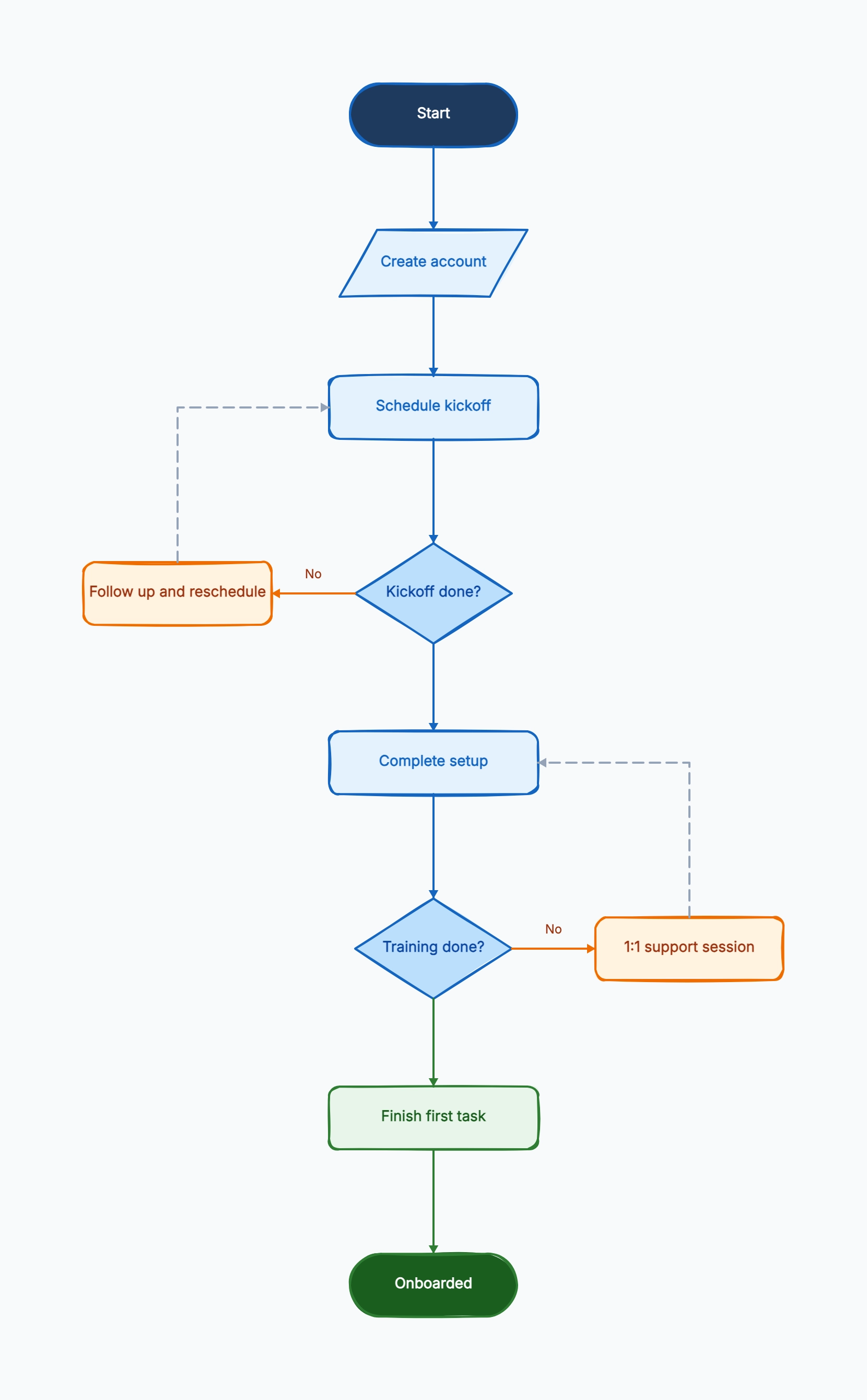
SaaS customer onboarding
Who uses it: Customer success teams running implementation and activation
Account created
→ Kickoff scheduled [Done?]
No → Follow up
Yes → Workspace setup
→ Team training [Done?]
No → Support session
Yes → First project launched → End
Why this works: This structure makes it obvious where customers fall behind and what the recovery step is before escalation is needed.
Employee onboarding
Who uses it: People ops and hiring managers standardizing new-hire ramp-up
Start date confirmed
→ Accounts provisioned
→ Orientation completed?
No → Reschedule orientation
Yes → Team setup and training
→ First task completed → End
Why this works: The flow separates orientation from system setup, which helps teams see whether delays are caused by scheduling or access issues.
Agency client kickoff
Who uses it: Agencies onboarding new service clients
Contract signed
→ Discovery questionnaire returned?
No → Send reminder
Yes → Kickoff call
→ Access granted?
No → Request credentials
Yes → Launch workstream → End
Why this works: This example turns hidden onboarding blockers like missing questionnaire answers and missing access into explicit branches.