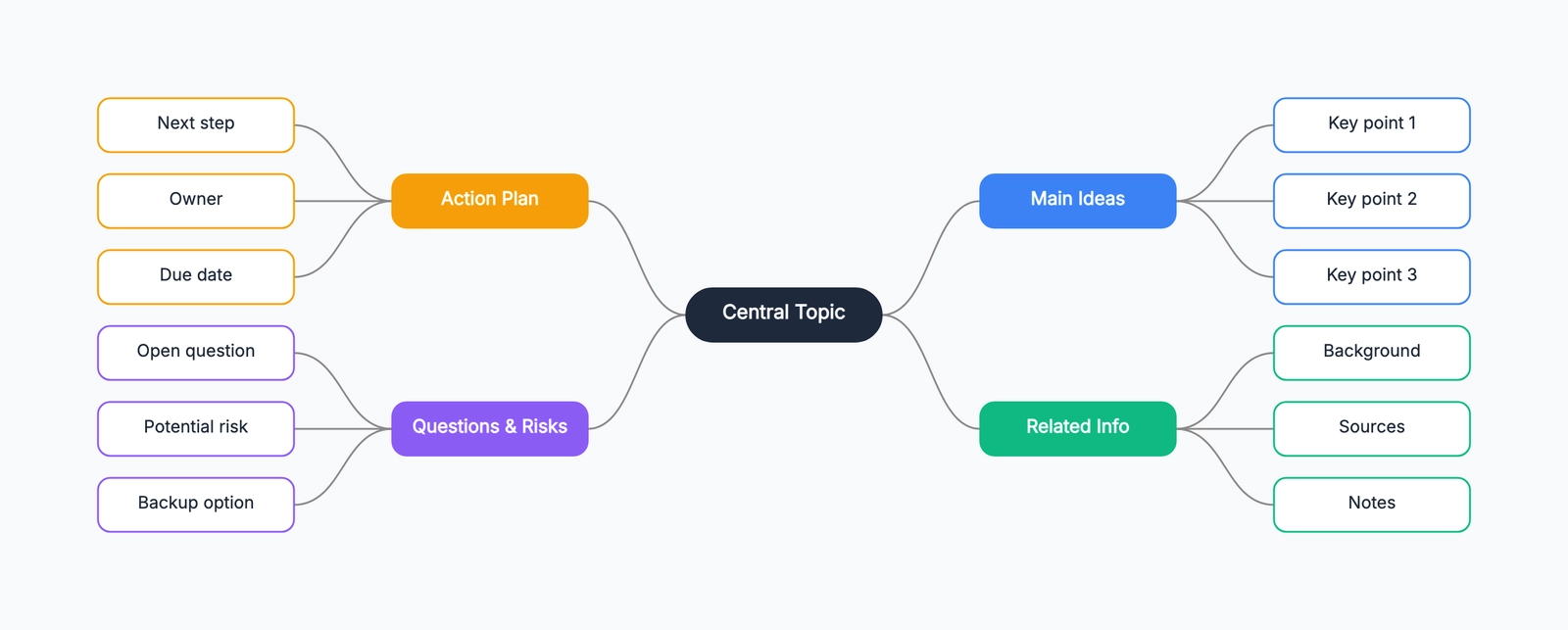
A mind map is a diagram that starts with a central idea and branches outward to related topics, subtopics, and details. The central concept sits in the middle, with main branches radiating out from it, and each branch splitting into smaller branches as ideas get more specific.
The structure follows the way associative thinking works: one idea leads to another, which leads to another, without forcing everything into a linear sequence. That's the key difference between a mind map and an outline — an outline imposes order, while a mind map lets ideas connect freely and reveal relationships that a linear format would miss.
If you're looking to start quickly, check out the free mind map makers available today, or jump straight into our mind map templates.
What a Mind Map Looks Like
The anatomy is straightforward:
- Central node: The main topic — a question, a project, a concept, a decision
- Main branches: The primary categories or themes radiating from the center
- Sub-branches: More specific ideas branching from each main branch
- Leaf nodes: The most specific details at the ends of branches
A mind map for planning a product launch might have the central node "Product Launch," with main branches like "Marketing," "Engineering," "Sales," and "Timeline." Each of those branches into specifics — Marketing might split into "Content," "Paid ads," "PR," and "Social," and Content might further branch into "Blog posts," "Demo video," and "Case studies."
Why the Radial Structure Matters
Most note-taking formats are sequential — you read them top to bottom, left to right. Mind maps are spatial. You can see all the main branches at once and understand the structure of a topic without reading through it linearly.
This has a practical effect in two situations:
When generating ideas: Linear formats pressure you to think in order, which means the first ideas tend to dominate and later ideas don't get explored as fully. A mind map lets you dump ideas in any direction as they come, then organize later. The result is usually a more complete set of ideas than you'd get from a structured list. For a detailed walkthrough, see how to use mind maps for brainstorming.
When studying or summarizing: When you convert a chapter or lecture into a mind map, you have to identify the main concepts and their relationships — which forces active understanding rather than passive reading. The map then serves as a compact reference that shows structure at a glance.
When to Use a Mind Map
Brainstorming: Starting a mind map with a question or problem and freely branching ideas outward works better than a blank list for most people. The visual structure makes it easier to spot gaps and see which areas are underdeveloped.
Note-taking: Taking notes in mind map form during a lecture or meeting helps you capture the structure of what's being said, not just the words. It also tends to produce better recall because spatial memory is engaged.
Planning: Mind maps work well for early-stage project planning, where you need to capture all the dimensions of a problem before deciding on structure. They're less useful once the plan needs to be sequenced and tracked — at that point, a Gantt chart or kanban board takes over.
Learning a new topic: Building a mind map of a subject you're studying forces you to make connections between concepts. The process of deciding where to put something — which branch does this belong on? — is itself a learning activity.
Meeting preparation: Mapping out what you know about a topic, what questions you have, and what you want to cover gives you a better mental model before a discussion than a linear agenda.
When Not to Use a Mind Map
Sequential processes: If you're documenting a process where the order of steps matters, a flowchart is more appropriate. Mind maps don't show sequence — they show relationships.
Formal documentation: A mind map is a thinking tool. It's good for generating and organizing ideas, but usually needs to be converted into another format (a document, a slide deck, a task list) to be useful to someone else.
Data-heavy topics: If the content is mostly numbers, data, or highly structured information, a table or chart is usually more readable than a mind map.
Mind Maps vs. Other Visual Tools
Mind map vs. outline: An outline forces a single hierarchy — everything has one parent and the order is fixed. A mind map allows looser structure, branching in any direction, and placing ideas where they feel right rather than where the format demands. Outlines are better for writing; mind maps are better for thinking.
Mind map vs. flowchart: A flowchart shows process and sequence — steps that follow one another with decisions and branches. A mind map shows structure and relationships — topics that are related to a central idea, without implying order. Use a flowchart to document how something works; use a mind map to explore what something involves.
Mind map vs. concept map: Concept maps are similar to mind maps but include labeled connections between any two nodes — not just parent-child relationships. A concept map can show that "photosynthesis" and "respiration" are "opposite processes," which a mind map can't express. Concept maps are more precise; mind maps are faster to create.
A Simple Example
Topic: Preparing for a job interview
Central node: Job Interview Prep
Main branches and sub-branches:
- Research
- Company history and mission
- Recent news and products
- Team and culture
- Technical prep
- Core concepts for the role
- Past projects to discuss
- Questions to expect
- Behavioral prep
- STAR method stories
- Strengths and weaknesses
- Questions to ask them
- Logistics
- Location and directions
- What to bring
- Follow-up plan
This structure would take an outline five or six levels of indentation to replicate, and it would be harder to see the full scope at once.
Mind Maps vs Similar Visual Tools
Mind Map vs Concept Map: Covered in detail in our mind map vs concept map guide. The short version: mind maps have one center and radiate outward; concept maps have multiple nodes connected by labeled relationships. Mind maps are for personal exploration; concept maps are for explaining systems to others.
Mind Map vs Flowchart: A flowchart shows a sequence of steps and decisions — it is procedural. A mind map shows the relationship between ideas — it is associative. Use a flowchart when the question is "what happens next?" Use a mind map when the question is "what else is related to this?"
Mind Map vs Org Chart: An org chart shows reporting relationships — who manages whom. A mind map shows conceptual relationships — what connects to what. Both are tree structures, but the meaning of the branches is entirely different.
The Science Behind Why Mind Maps Work
Mind maps leverage two cognitive principles that linear notes do not. First, spatial memory: your brain remembers where information is located on a page or canvas. A mind map's branches create visual landmarks that make recall easier. Second, associative thinking: the brain stores knowledge as networks of connected concepts, not as ordered lists. A mind map mirrors this structure, which is why organizing information into a mind map often surfaces connections you had not consciously noticed.
Research on dual coding theory (Paivio, 1971) supports combining words with visual-spatial arrangements. When you read a keyword on a curved branch inside a colored region, you are encoding the information through multiple channels — verbal, visual, and spatial — which strengthens retention compared to reading the same word in a bulleted list.
How to Make a Mind Map
-
Start with the central topic — write it in the center of the page or canvas. Make it specific enough to be useful. "Work" is too vague; "Q3 marketing strategy" is better.
-
Add the main branches — identify three to seven primary categories or themes. These are the first level of branching from the center.
-
Branch outward freely — don't filter ideas at this stage. Add sub-branches as they come, placing them under whatever main branch feels right.
-
Connect related ideas — if you notice a connection between branches, draw a link. These cross-branch connections are often where the most interesting insights live.
-
Edit and reorganize — once the initial ideas are out, review the map. Move things that seem misplaced, merge overlapping branches, and cut anything that doesn't belong.
Start with a central idea and let the branches grow — you will be surprised by what you discover.
Related Reading
- Mind Map Template — Start from an editable radial layout.
- Free Mind Map Maker — Compare free tools for creating mind maps online.
- How to Make a Mind Map — A practical step-by-step guide.
- Mind Map vs Concept Map — Choose the right visual thinking format.