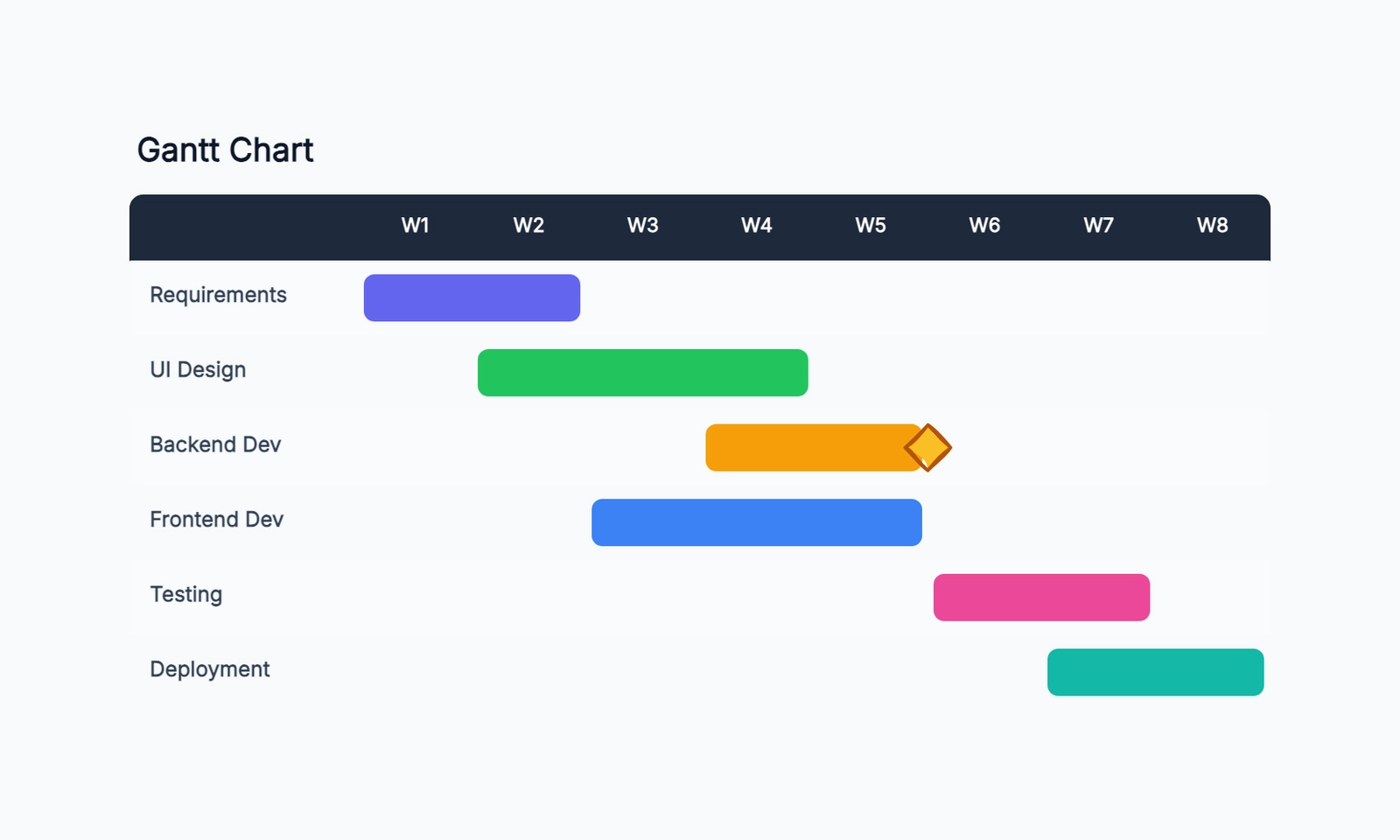
Gantt charts used to require expensive desktop software — Microsoft Project was the default for years, and the alternatives weren't much cheaper. Now several free tools can produce a full project timeline with dependencies, milestones, and resource assignment. But the tradeoffs between them vary considerably, and "free" can mean very different things. (If you're not sure what a Gantt chart is or whether you need one, see What Is a Gantt Chart? first.)
This guide covers the free Gantt chart tools worth evaluating, with honest notes on where each one hits its limits.
What to Look For in a Free Gantt Tool
Dependencies. A Gantt chart without dependency tracking is a bar chart with dates. Dependencies are what turn a task list into a sequenced project plan. Make sure the tool supports them before committing.
Critical path visualization. Knowing which tasks can slip without affecting the end date — and which can't — requires the tool to calculate and display the critical path. Not all free tools support this.
Resource assignment. The ability to assign owners to tasks and see when individuals are over-allocated. Some tools treat this as a premium feature.
Collaboration model. Real-time co-editing vs. file sharing vs. no collaboration. Depends on whether you're planning solo or with a team.
Export and sharing. Can you export to PDF, PNG, or a format other tools can import? Can you share a read-only view without giving edit access?
GanttProject
Free tier: Unlimited — free, open source desktop app
Collaboration: File sharing (export/import XML or CSV)
Dependencies: ✓ Full support
Critical path: ✓ Supported
GanttProject is the most complete free dedicated Gantt chart tool available. It's been around since 2003 and does what it says: Gantt charts. You get full task management, dependency tracking, milestone support, critical path highlighting, resource management, and export to PDF and CSV.
The interface is functional and dated, but it works. For a project manager who needs a standalone Gantt tool with no subscription cost, it's a capable option.
The limitation is that it's a desktop application with no real-time collaboration. Collaboration means exchanging project files — GanttProject uses its own XML format, but it can also export to CSV for handoffs to other tools.
Best for: Project managers who need a full-featured dedicated Gantt tool at zero cost and don't need real-time collaboration with their team.
Notion (Timeline View)
Free tier: Unlimited pages and databases
Collaboration: Real-time
Dependencies: Manual (not enforced)
Critical path: Not supported
Notion's timeline view turns any database into a visual timeline. If your team already documents projects in Notion, adding a timeline view to a project database costs nothing and requires no additional tool.
The experience is simpler than a dedicated Gantt tool: you set start and end dates, and the bars appear. Dependencies exist in concept but aren't automatically enforced — moving Task A doesn't automatically move Task B even if B depends on A. There's no critical path calculation.
For projects that are mostly sequential with few parallel tracks, the simplicity is fine. For complex projects with many dependencies and resource conflicts, you'll quickly feel the limitations.
Best for: Teams already in Notion who want to add a visual timeline to their project documentation without bringing in another tool.
ClickUp
Free tier: Unlimited tasks; 60 uses of Gantt view
Collaboration: Real-time
Dependencies: ✓ Supported
Critical path: ✓ Supported; baselines require a higher plan
ClickUp's free tier includes 60 uses of Gantt view alongside list, board, and calendar views. Dependencies and critical path are available; timeline baselines require a higher plan. The usage cap means free Gantt access is useful for evaluation or occasional planning, not unlimited ongoing use.
The free plan also has storage and feature limits that don't affect the Gantt view specifically, but limit the overall platform use. ClickUp can be overwhelming if you only need Gantt charts — it's a full project management platform, not a Gantt-first tool.
Best for: Teams looking for a complete project management platform that includes Gantt as one view, rather than teams that just want a dedicated Gantt tool.
Asana (Timeline view)
Free tier: Limited (Timeline view is paid)
Collaboration: Real-time
Dependencies: ✓ On paid
Critical path: On paid
Asana's Timeline view (their Gantt feature) is behind a paywall — it's not available on the free plan. This makes Asana a poor choice if Gantt is your primary requirement. The free tier covers list and board views well but the visual timeline requires a paid subscription starting around $10/user/month.
Worth knowing because Asana is often searched when people are looking for free Gantt tools — but for this specific need, look elsewhere.
TeamGantt
Free tier: 1 project, 3 users
Collaboration: Real-time
Dependencies: ✓ Supported
Critical path: ✓ Supported
TeamGantt is a purpose-built Gantt chart tool with a clean, intuitive interface. For users who want a tool that looks and feels like a professional Gantt tool without the complexity of a full PM platform, it's the best option on this list.
The free tier is limited to one project with three users. That's genuinely limiting — if you're managing multiple projects or have a larger team, you'll need a paid plan (starting around $19/manager/month, which is expensive).
The free tier is better understood as a trial than a long-term free solution, but it's a good trial — the full feature set works within the one-project limit.
Best for: Individuals and small teams managing a single project who want the best dedicated Gantt experience and are evaluating before committing to a paid plan.
ProjectLibre
Free tier: Unlimited — free, open source desktop app
Collaboration: File sharing (compatible with MS Project files)
Dependencies: ✓ Full support
Critical path: ✓ Supported
ProjectLibre is positioned as the open source alternative to Microsoft Project. It reads and writes Microsoft Project files (.mpp), which is valuable if you need to exchange files with stakeholders or clients using Visio or MS Project.
The interface is closer to Microsoft Project than any other tool on this list — if you're migrating from MS Project, the learning curve is minimal. It supports full project planning: WBS, dependencies, resources, critical path, earned value.
Like GanttProject, it's a desktop application with no real-time collaboration. And like GanttProject, it's free.
Best for: Project managers migrating from Microsoft Project who need to maintain file compatibility with MS Project users, and are comfortable with a desktop-first workflow.
CodePic
Free tier: Unlimited
Collaboration: Read-only link sharing
Dependencies: Not supported (visual only)
Critical path: Not supported
CodePic is a diagramming tool, not a project management platform. It includes a Gantt chart template, but the chart is visual — you draw the bars and labels, there's no underlying task database that tracks dependencies or calculates the critical path.
This sounds like a limitation, but it's the right tool for a specific use case: project managers who need to create visual Gantt charts for presentations, proposals, status reports, or kickoff meetings. When the goal is to communicate a timeline to stakeholders rather than to manage tasks day-to-day, CodePic is faster to use than any of the tools above.
The AI integration via MCP lets you describe a project plan in plain language and generate the initial chart automatically — useful for quickly creating a draft timeline before refining.
The hand-drawn style makes timeline documents feel like working drafts rather than rigid commitments, which can be advantageous in early-stage planning.
Best for: Project managers who need Gantt charts for communication and documentation (proposals, presentations, status updates) rather than for task tracking.

Quick Comparison
| Tool | Free Plan | Collaboration | Dependencies | Critical Path | Best For |
|---|---|---|---|---|---|
| GanttProject | Unlimited | File sharing | ✓ | ✓ | Full-featured dedicated tool |
| Notion | Unlimited | Real-time | Manual | No | Teams in Notion |
| ClickUp | 60 Gantt uses | Real-time | ✓ | ✓ | PM platform with limited free Gantt |
| TeamGantt | 1 project | Real-time | ✓ | ✓ | Best dedicated UX, 1 project |
| ProjectLibre | Unlimited | File sharing | ✓ | ✓ | MS Project migration |
| CodePic | Unlimited | Read-only | No | No | Communication / visual docs |
How to Choose
If you need a full-featured Gantt tool at zero cost: GanttProject or ProjectLibre (if MS Project compatibility matters). Both are free and support dependencies and critical path.
If your team is already in Notion: Notion's timeline view is the path of least resistance, even if it lacks dependency enforcement.
If you want a full project management platform: ClickUp lets you evaluate Gantt alongside other views, but its free plan caps Gantt-view usage at 60.
If you want the best dedicated Gantt experience for a single project: TeamGantt's free tier.
If you need Gantt charts for stakeholder communication and documentation: CodePic — faster to use than any of the above for visual-only charts.
The honest advice: if you're managing real projects with real dependencies and teams, GanttProject (free) or a paid platform like ClickUp (cheap) will serve you better than a diagramming tool. If you need Gantt visuals for communication, CodePic or a simple spreadsheet-to-chart tool is faster.
Related Reading
- How to Make a Gantt Chart — a step-by-step guide to building your first Gantt chart
- Kanban vs Gantt — not sure which planning method fits your team? This comparison breaks down the tradeoffs
- Gantt Chart Template — start with a ready-made template in CodePic